There was a time when creating a truly compelling PowerPoint presentation felt like an unavoidable tax on my creativity. Hours spent researching, structuring, visualizing, formatting — all before I could even refine what I truly wanted to say.
But after deeply exploring the Nano Banana workflow inside Powerdrill Bloom, I’ve come to a confident conclusion: this is not just a productivity upgrade — it is a structural shift in how ideas become influence.
In my view, Nano Banana represents the most practical evolution of AI-assisted presentation design to date. And when embedded within Powerdrill Bloom’s intelligent exploration engine, it transforms the entire process of building decks into something faster, smarter, and far more strategic.
I don’t just see this as a tool — I see it as the new standard for how professionals will communicate complex ideas in 2025 and beyond.
Step-by-Step: How I Turn Any Idea Into a Presentation in Minutes
Step 1: Define a Singular, Clear Topic
I begin by opening Powerdrill Bloom and committing to one focused theme. Clarity here is everything.
After logging in, I input a topic — for example:
“Artificial Intelligence in University Education”
With a single click on Start Research, I hand the exploration over to Bloom’s AI intelligence engine.

Step 2: Let Bloom Explore, Analyze, and Structure
This is where the real magic happens.
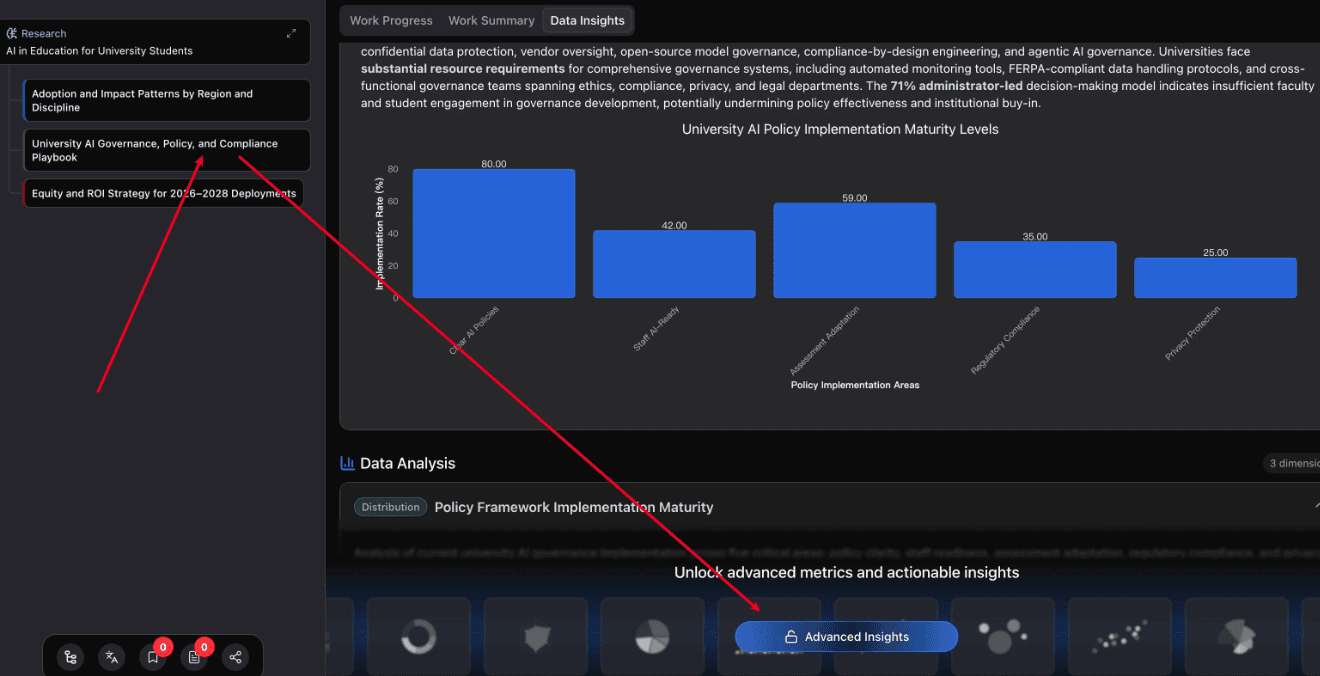
Powerdrill Bloom immediately begins mapping logical exploration paths around the topic — breaking it into structured dimensions, identifying sub-themes, and surfacing intelligent angles I might not have considered.
By selecting Advanced Insights, I unlock deeper conceptual layers, enabling me to spot where narrative tension, data opportunity, or strategic angle truly lies.
At this stage, I’m no longer staring at a blank slide — I’m navigating a curated intellectual landscape.
Step 3: Convert Insights into Slides with Nano Banana
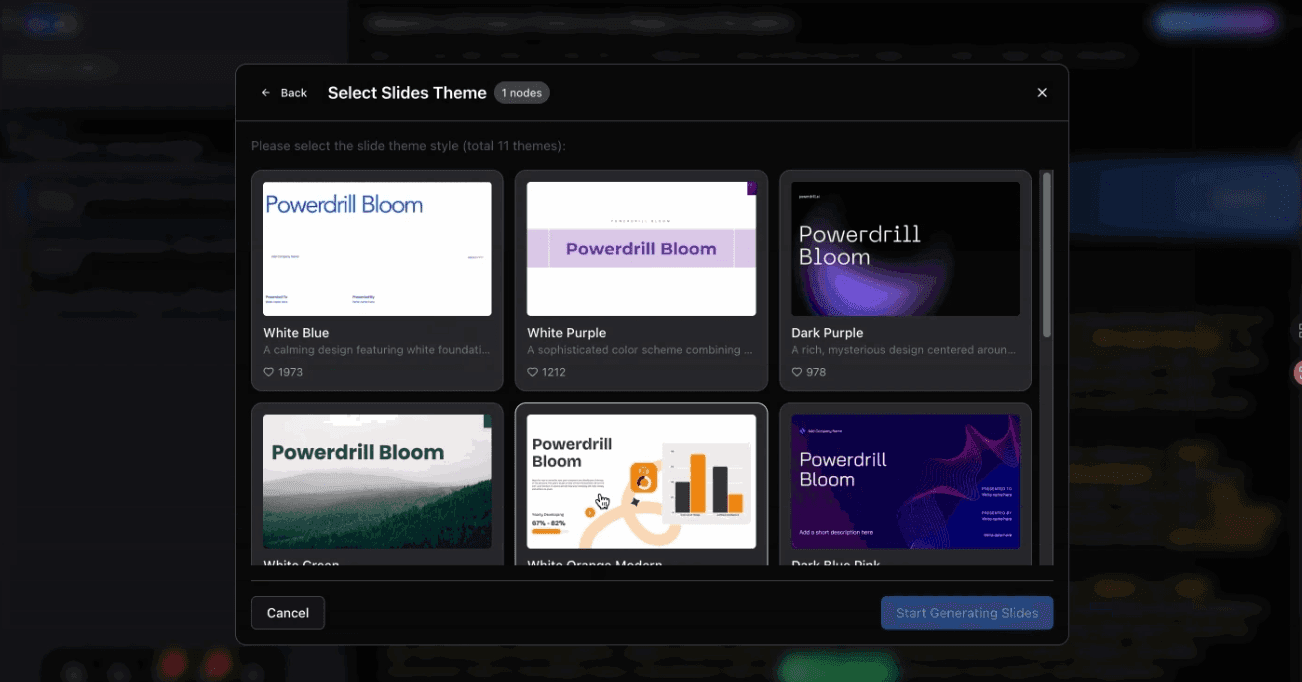
Once I’ve identified the node or topic direction I want, I simply select it and choose:
“Generate Slides with Nano Banana”
Within minutes, I receive:
Professionally structured slide outlines
Visually refined layouts
Intelligent content hierarchy
Business-ready slide design
What would normally take 2–4 hours is compressed into a workflow measured in minutes.
Applied Intelligence Over Generic Automation
Nano Banana doesn’t just generate slides — it understands logical progression, visual emphasis, and narrative rhythm. When paired with Powerdrill Bloom’s exploration and analytical engine, it delivers:
Structured storytelling aligned with topic logic
Visually balanced information density
Professionally styled presentation aesthetics
Data-friendly visual design principles
For anyone regularly producing content for:
Business meetings
Academic lectures
Strategic proposals
Investor decks
Educational content
This system quietly transforms daily workflow efficiency while raising presentation quality at the same time.
From Blank Slide Anxiety to Confident Storytelling
If you regularly create presentations for work, education, or content sharing, I strongly suggest experiencing this workflow for yourself.
Open Powerdrill Bloom. Enter your topic. Let Nano Banana transform it into a presentation that feels coherent, visually compelling, and strategically sound — faster than you expect.
In my experience, this isn’t just about slides.
It’s about upgrading how ideas move from your mind to your audience.